Calculate Additional Guest Charges Based on Room Types
Stay is enhanced to calculate the additional guest charges to be posted to reservations based on the room types. Previously, the charges for additional guests were calculated based on the value configured for the Included Persons field in the rate plans.
Contact Agilysys to enable this feature for the property.
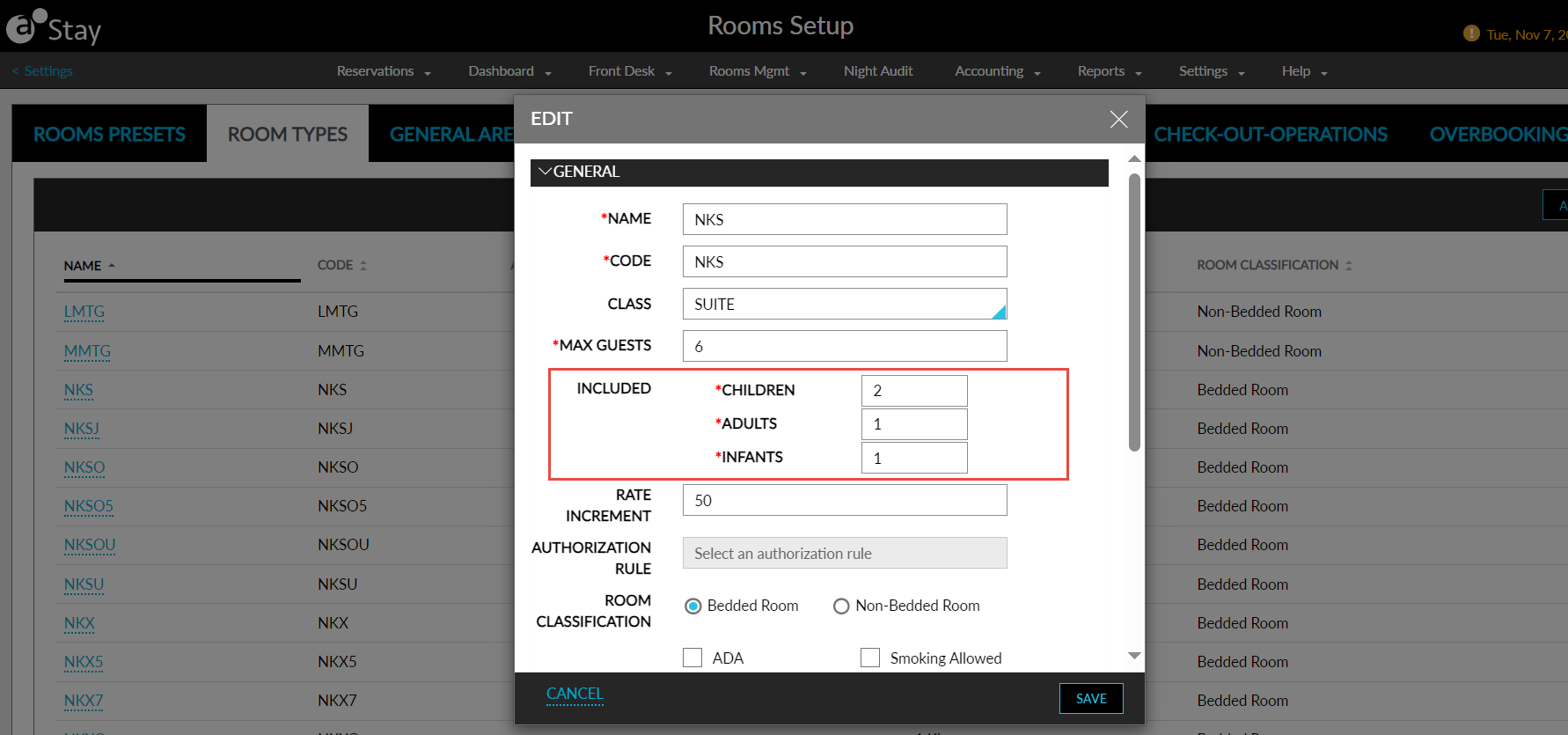
When this feature is enabled, users can configure the number of persons to be included in each room type in the Included Persons field in the Add/Edit Room Types screen (All Settings ➜ Rooms & Room Types ➜ Room Types ➜ Add/Edit). When the Price by Persons feature setting is enabled, the age categories configured at the property is displayed for which users can configure the number of persons to be included.
If any changes are made to the included person values after configuration in the rate plan, those changes should be applied to all the rate plans, except for the rate plan where the user has intentionally overridden the originally configured values for the room type, that is, if the user customizes the included person values for a specific rate plan, those customized values should remain unchanged despite any updates to the original configuration in room type.
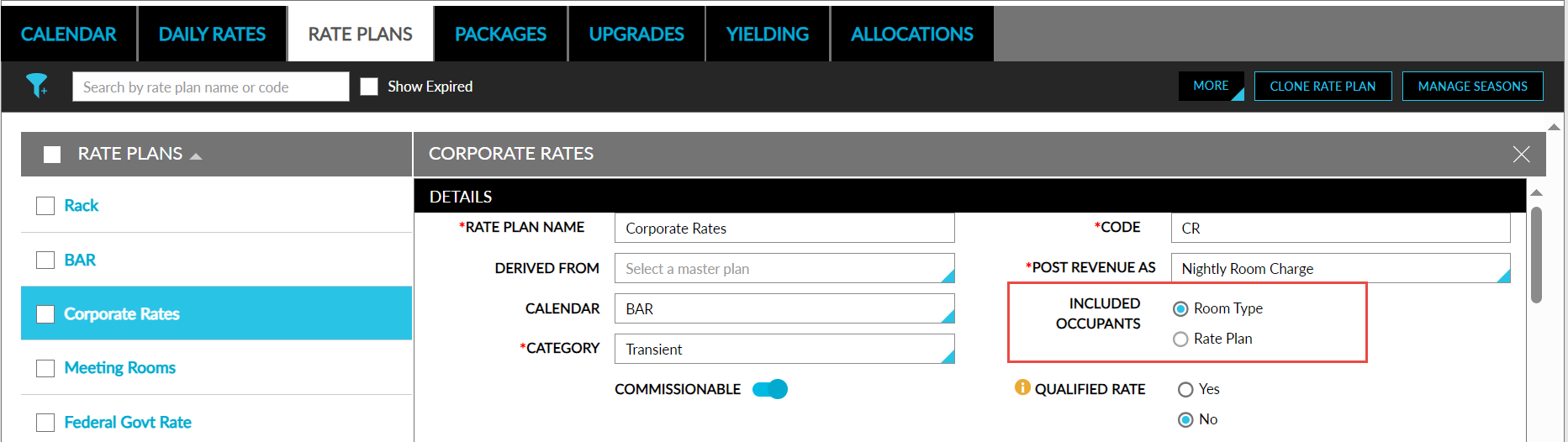
Including Occupants by Room Type in Rate Plans
When users select the Included Occupants by Room Type option in the Details section of the rate plans, the values for each room type should be automatically fetched from the configured values in the corresponding room type. The user can modify the values if required.
The values in the Included Person/Adult/Child field should be less than or equal to value in Max Occupant field of the room type. If the user enters a value greater than Max Occupant limit, the following message is displayed: Value should not exceed Maximum Occupancy.
Consider the following example:
Rate Plan Configuration
-
Base Room Rate: $100
-
Extra Adult Fee: $20
Queen Room Configuration
-
Max Occupant: 5 (The maximum number of people allowed in this room is 5).
-
Included Occupants: Adult=2
King Room Configuration
-
Max Occupant: 8 (The maximum number of people allowed in this room is 8).
-
Included Occupants: Adult=4
Reservation Details
Let us assume that the booking is made for two nights for the following dates and room types:
-
11th July 2023: King room type
-
12th July 2023: Queen room type
-
Number of Adults: 5
Calculation
For 11th July 2023:
-
Base Room Rate: $100
-
Extra Adult Fee (1 extra adult): $20
-
Total nightly room charge for the 11th of July: $100 + $20 = $120
For 12th July 2023:
-
Base Room Rate: $100
-
Included Occupants (2 adults): $0 (since it's already included)
-
Extra Adult Fee (3 extra adults): $20 x 3 = $60
-
Total nightly room charge for the 12th of July: $100 + $60 = $160
Therefore, the total charge 2 days is $120 + $160 = $280
Including Occupants by Rate Plan
When this feature is disabled, the inclusion of persons is calculated based on the rate plan and the Included Occupants by Rate Plan option will be selected for the rate plan.
Daily Rates – Set Rates Screen
-
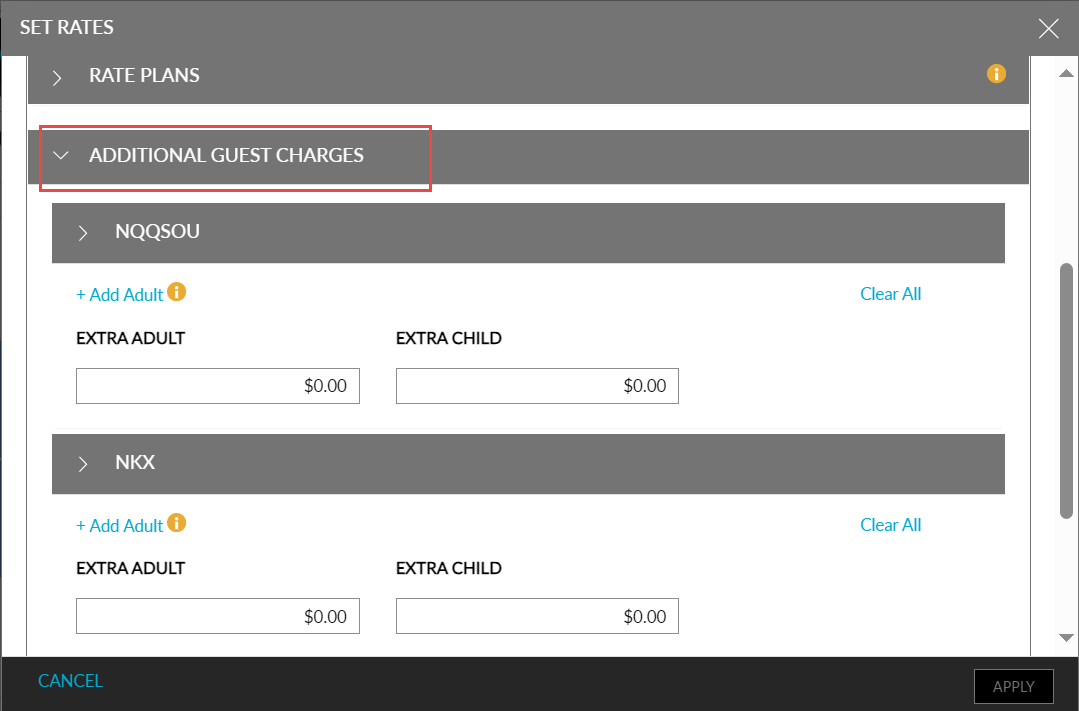
When the user selects multiple room types for the rate plan, each chosen room type should be displayed as a subsection within the Additional Guest Charge section on the Set Rates screen.
-
In the sub-section, users have the option to input the additional adult fee for a maximum of 8 adults.
-
The additional fee should only be charged for each person beyond the number of included occupants for the room type. For example, if the queen room type includes 3 occupants, the additional fee should be applied starting from the 4th person onwards.
Groups – Room Blocks
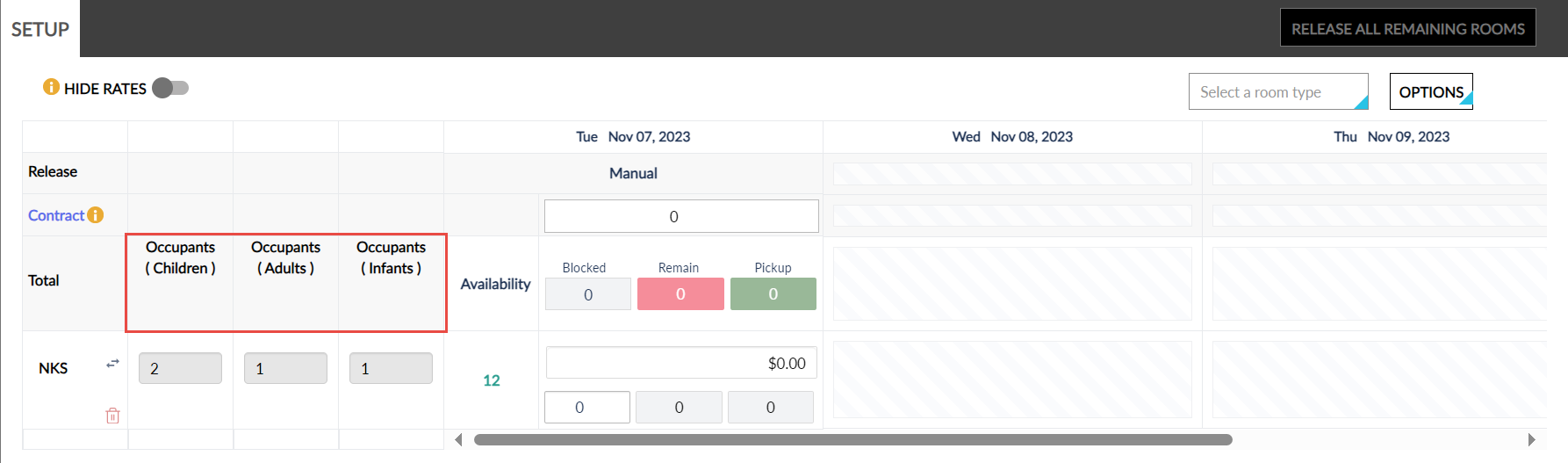
The Included Persons configured for each room type is displayed under the Occupants column on the Room Blocks tab of the Group screen. Users can configure the number of included persons based on the age categories configured for each room type.
If the rate plan is chosen for creating room blocks, the included occupants specified for each room type within that rate plan is automatically fetched and displayed in the Groups section, else, the values are fetched from the room types.
If the Price by Occupancy feature setting is enabled, the additional fee should only be charged for each person beyond the number of included occupants for the room type. For example, if the queen room type includes 3 occupants, the additional fee should be applied starting from the 4th person onwards.
To support this enhancement, the following changes have been made:
-
A new field, Included Persons, has been added to the Add/Edit Room Types screen (All Settings ➜ Rooms & Room Types ➜ Room Types ➜ Add/Edit) that allows users to configure the included occupants for each room type.
-
Two new radio buttons, Included Occupants Room Type, and Included Occupants Rate Plan have been added to the Add/Edit Rate Plan screen that allows users to select if the additional charges should be calculated based on room type or rate plans.
-
A new section, Additional Guest Charge, has been added to the Set Rates screen that allows users to configure additional guest charges.
-
The Included Person/Adult/Child column is removed and a new column, Occupants, has been added to the Room Blocks tab of the Group screen that displays the included number of occupants for each room type.